Component Configurations
Centrally manage API keys and settings for all SaaS integrations. Configure once, use everywhere across applications and AI workflows.

What are Component Configurations?
Centralized configuration management for all your SaaS tool integrations and AI components
API Key Management
Securely store and manage API keys, tokens, and credentials for all platforms in one central location.
Reusable Across Apps
Configure once and reuse settings across multiple applications, workflows, and AI agents automatically.
AI Agent Integration
AI agents automatically access configured credentials to process workflows and automate tasks seamlessly.
Set Once, Use Everywhere
Instead of entering the same API keys in every application, configure components once. Every new app automatically inherits these settings, and AI agents leverage them for automated workflows.
How to Obtain API Keys
Step-by-step guide to getting API credentials from popular SaaS providers
1. Login to Provider
Access your SaaS platform's developer portal or settings
2. Create API App
Generate new API credentials or application
3. Copy Credentials
Securely copy API keys and configuration details
4. Configure Platform
Add credentials to your urauto.ai configuration
Common Provider Setup Locations
OpenAI
Navigate to: platform.openai.com → API Keys
Look for: API Key, Organization IDSalesforce
Navigate to: Setup → Apps → App Manager
Look for: Client ID, Client Secret, Instance URLTwilio
Navigate to: Console → Account → API Keys
Look for: Account SID, Auth Token, Phone NumberStripe
Navigate to: Dashboard → Developers → API Keys
Look for: Secret Key, Publishable KeySlack
Navigate to: api.slack.com → Your Apps
Look for: Bot Token, Signing SecretMicrosoft 365
Navigate to: Azure Portal → App Registrations
Look for: Client ID, Client Secret, Tenant IDConfiguration Process
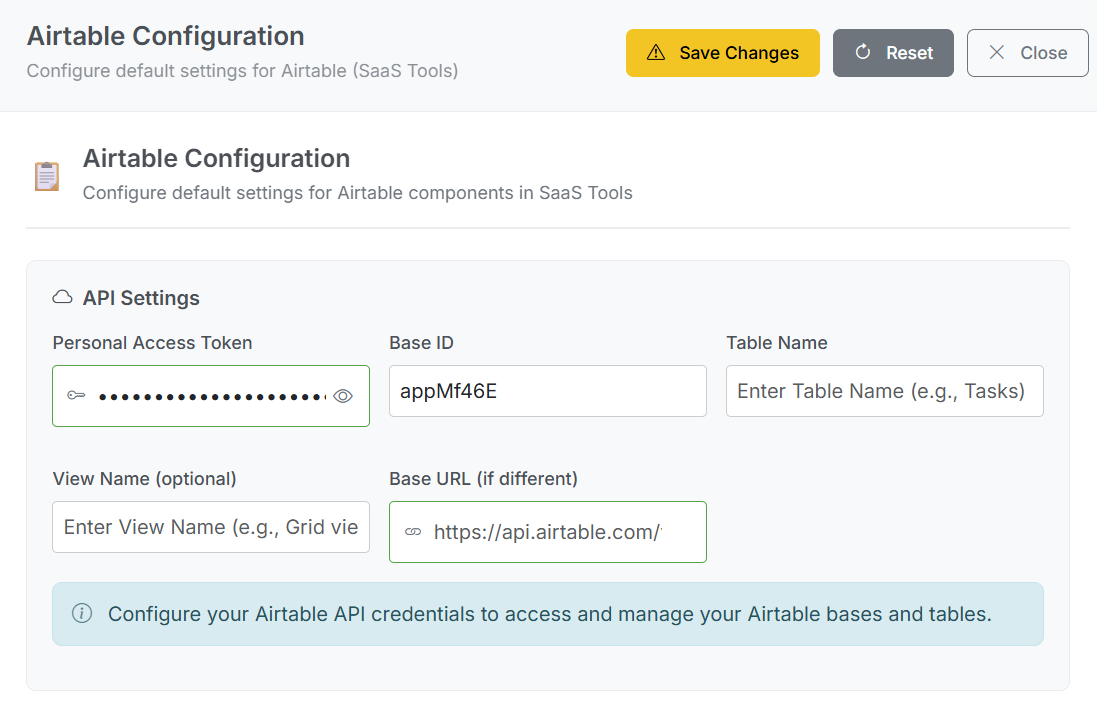
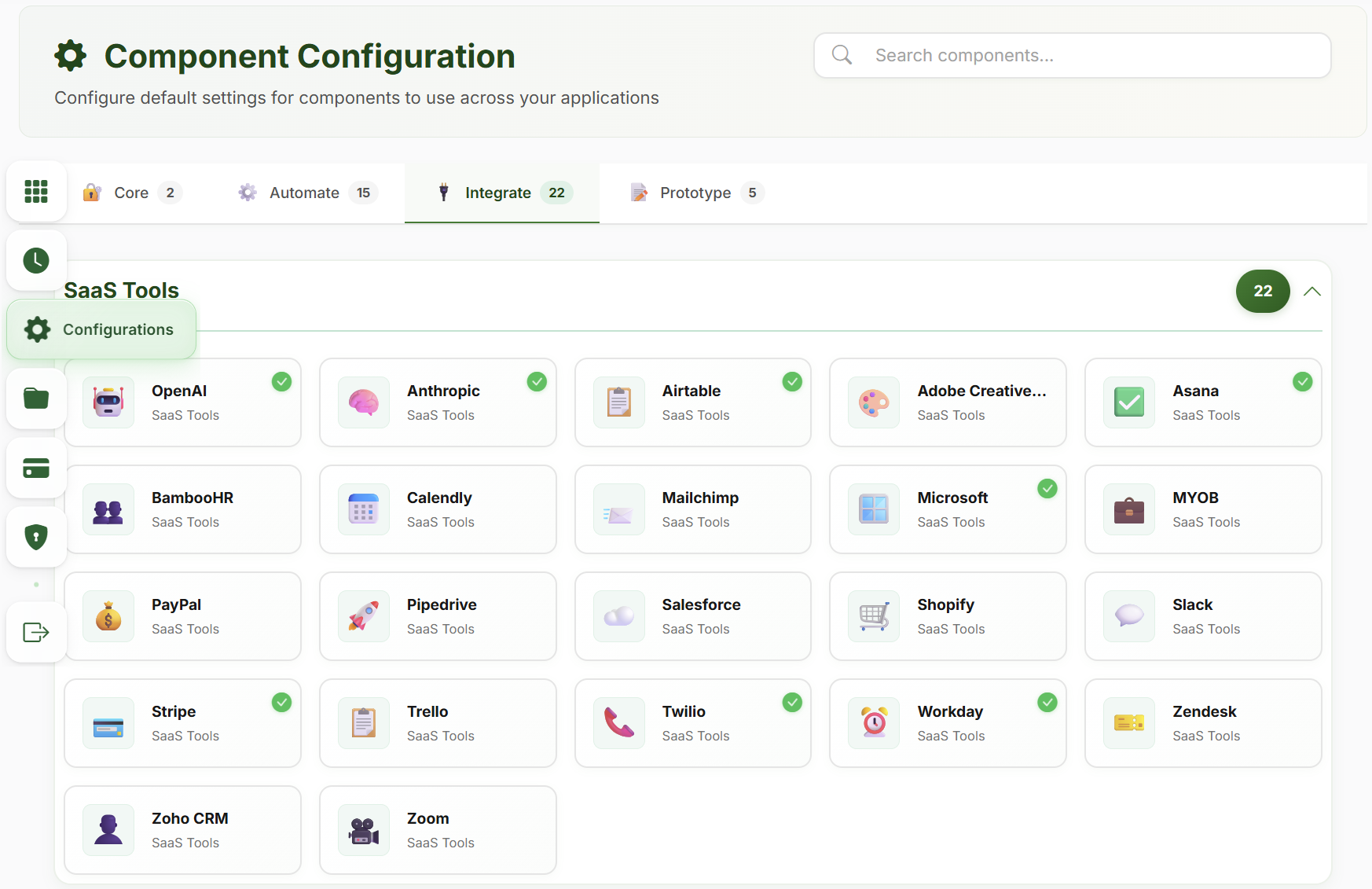
1. Access Configuration Panel
Navigate to Component Configuration in your dashboard to manage all integrations.
2. Select Component Type
Choose the SaaS tool or AI service from our extensive list of supported integrations.
3. Enter Credentials
Securely input API keys, tokens, and parameters. All data is encrypted and stored safely.
4. Test & Save
Validate configuration with a test connection, then save for use across all applications.
Enterprise-Grade Security
Your API keys and sensitive configuration data are protected with industry-leading security measures
AES-256 Encryption
All credentials encrypted at rest using military-grade encryption standards.
Access Control
Role-based permissions ensure only authorized users can access configurations.
Audit Logging
Complete audit trail of all configuration changes and access attempts.
Auto Rotation
Automatic key rotation and expiration notifications for enhanced security.
AI Agent Automation
Your configured components become powerful tools for AI agents to execute complex workflows automatically.
Automatic Workflow Execution
AI agents automatically access credentials to perform tasks like sending emails, updating CRMs, and processing payments.
Multi-Service Orchestration
Agents coordinate across multiple configured services in a single workflow—from lead capture to payment processing.
Secure & Controlled Access
AI agents operate within defined permissions, accessing only the services you've explicitly authorized.
Configuration Management Benefits
Streamline your workflow with centralized configuration management
90% Setup Time Reduction
- Configure once, use in unlimited apps
- No repetitive API key entry
- Instant deployment of integrations
- Bulk configuration updates
Enhanced Security
- Centralized credential management
- Automatic security updates
- Reduced exposure points
- Complete audit trails
Seamless Reusability
- Share configurations across teams
- Template-based setup
- Environment-specific configs
- Version control and rollback
Intelligent Automation
- AI agents leverage your configs
- Automated workflow execution
- Smart error handling and retry
- Performance optimization